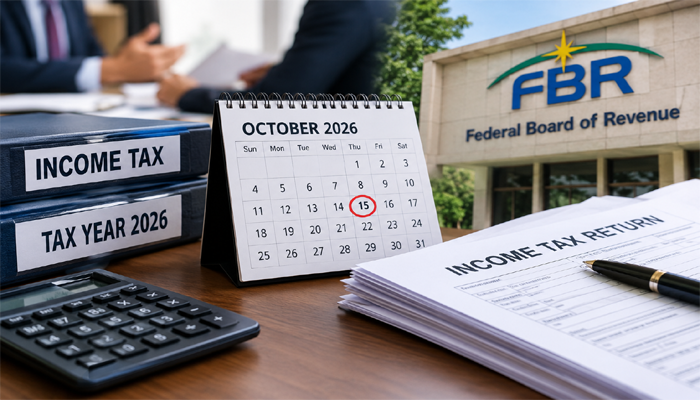


KARACHI: Pakistan’s salaried individuals can file their income tax returns online through the Federal Board of Revenue’s (FBR) IRIS portal without hiring a tax consultant, provided their tax affairs are straightforward.
For Tax Year 2026, covering income earned from July 1, 2025, to June 30, 2026, the filing deadline is October 31, 2026, according to the information provided in the guide.
Filing a return helps taxpayers reconcile their annual income, tax deductions and assets while establishing their status on the FBR’s Active Taxpayer List (ATL). Filers may also benefit from lower withholding tax rates on certain financial transactions.
Documents Required for Filing
Before accessing the IRIS portal, salaried individuals should prepare their Computerised National Identity Card (CNIC), registered mobile number, email address and annual salary certificate issued by their employer.
They should also collect withholding tax certificates, bank statements, details of assets and liabilities as of June 30, 2026, and estimates of annual household expenses.
How to File a Return Through IRIS
Step 1: Register with FBR
Visit iris.fbr.gov.pk and select “Registration for Unregistered Person”. Enter the required personal details and verify the account through the codes sent to the registered mobile number and email address.
Step 2: Open the Tax Return
Log in to IRIS, navigate to the Declaration section and select the income tax return for Tax Year 2026. Salaried individuals whose primary income comes from employment may qualify to use Form 114(I), subject to the applicable requirements.
Step 3: Enter Salary and Tax Details
Enter the annual salary and income tax deducted by the employer, ensuring that both figures match the salary certificate and relevant tax records.
Step 4: Declare Withholding Taxes
Review eligible withholding taxes deducted from transactions such as mobile phone bills and vehicle-related payments. Verify the figures and enter any eligible amounts missing from the system.
Step 5: Complete the Wealth Statement
Declare assets, bank balances, cash, investments, liabilities and annual personal expenses. Ensure the figures reconcile with income and previous wealth statements before proceeding.
Step 6: Calculate Tax Liability
Click “Calculate” to determine whether tax is payable, refundable or fully settled through existing deductions.
Step 7: Pay Outstanding Tax
If additional tax is due, generate a payment slip ID (PSID), make the payment through an available banking channel and retain the Computerised Payment Receipt (CPR).
Step 8: Submit the Return
Confirm that all required fields are complete and the wealth statement reconciles. Submit the return and download the acknowledgement for future reference.
Step 9: Check ATL Status
After the relevant update, taxpayers can verify their Active Taxpayer List status through the FBR website or the prescribed SMS service.
Taxpayers are advised to verify current deadlines, eligibility criteria and applicable surcharges directly with the FBR, particularly if their income includes business, rental or foreign sources.